

Views: 222 Author: Tina Publish Time: 2025-03-17 Origin: Site


Content Menu
● Introduction to Moire Patterns
● Methods to Reduce Moire Patterns
● Advanced Technologies for Reducing Moire
● Common Challenges and Solutions
● FAQs:
>> Q1: What is the primary cause of moire patterns on LCD displays?
>> Q2: How can I reduce moire patterns during image capture?
>> Q3: Can moire patterns be completely eliminated?
>> Q4: Are there any specialized tools for removing moire in post-production?
>> Q5: Do all LCD displays produce moire patterns?
Moire patterns are a common issue encountered when capturing images or videos of LCD displays. These unwanted patterns occur due to the interference between the grid structures of the LCD screen and the camera's sensor, resulting in an unpleasant viewing experience. In this article, we will explore the causes of moire patterns and discuss various methods to eliminate or reduce them.
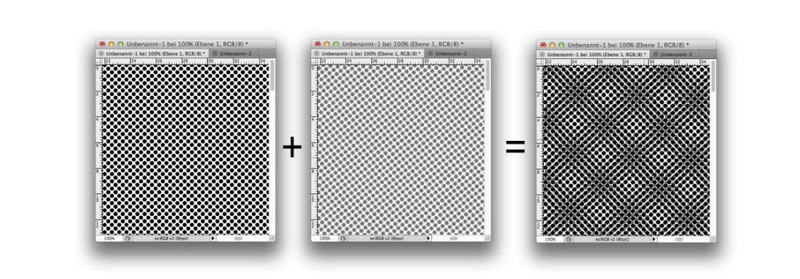
Moire patterns are created when two or more patterns with different spatial frequencies overlap. This phenomenon is particularly noticeable when digital cameras capture images of LCD displays, as both the display and the camera's sensor have grid structures that can interfere with each other.
The primary cause of moire patterns is the interaction between the grid structures of the LCD display and the camera's sensor. LCD displays consist of pixels arranged in a grid, while digital cameras use sensors with photosensitive elements also arranged in a grid. When these two grids overlap, they can create a new pattern that is not present in either the display or the camera alone.
Moire patterns can also be influenced by other factors such as the resolution of the display and the camera, the viewing angle, and the lighting conditions. For instance, higher resolution displays and cameras can sometimes exacerbate moire effects due to their finer grid structures.
Reducing moire patterns can be achieved through various techniques, both during image capture and in post-production.
1. Change the Camera Angle: Rotating the camera slightly can alter the way the grid structures overlap, reducing the visibility of moire patterns. This method is simple and effective, as even a slight adjustment can significantly impact the appearance of moire.
2. Adjust the Focal Length: Changing the lens or focal length can alter the resolution of the captured image, helping to reduce moire. For example, using a lens with a different focal length can change the way the camera captures the grid patterns on the LCD display.
3. Adjust the Focus: Focusing on a different area or slightly adjusting the focus can help reduce the sharpness of the moire patterns. This technique works by blurring the repetitive patterns, making them less noticeable.
4. Lower the Shutter Speed: This can help compensate for the low refresh rate of the LCD display, reducing horizontal bar effects that often accompany moire patterns. Lowering the shutter speed allows more light to enter the camera, which can help smooth out the image.
1. Use Anti-Aliasing Filters: These filters can blur repetitive patterns, reducing moire effects, though they may slightly reduce image quality. Anti-aliasing is commonly used in video games and graphics to smooth out jagged edges, and it can be applied similarly to reduce moire in images.
2. Image Editing Software: Tools like Photoshop can be used to manually adjust and reduce moire patterns in captured images. Techniques such as applying a slight blur or using noise reduction tools can help minimize moire.
3. Color Grading and Correction: Adjusting the color balance and contrast can also help mask moire patterns by making them less visible against the background colors.
In addition to camera adjustments and post-production techniques, some LCD displays incorporate technologies designed to minimize moire patterns. These include optical processing and fine pixel modules that can improve image quality and reduce interference.
Advanced display technologies often involve designing the pixel structure to be less prone to moire effects. For example, some displays use sub-pixel rendering techniques that can help reduce the visibility of moire patterns by altering the way colors are displayed at the sub-pixel level.
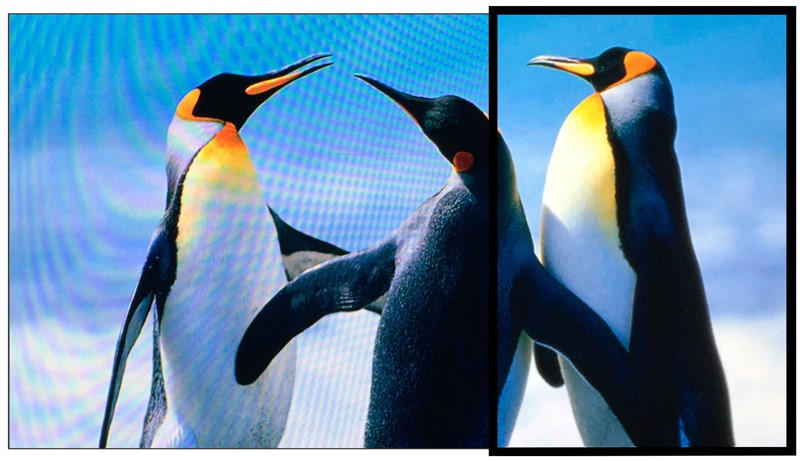
Despite the availability of methods to reduce moire, there are several challenges that photographers and videographers face. One of the main challenges is balancing the reduction of moire with maintaining image quality. Techniques that reduce moire often involve blurring or altering the image, which can compromise its sharpness and clarity.
To address this challenge, it's important to experiment with different techniques and find the optimal balance between reducing moire and preserving image quality. This might involve combining multiple methods, such as adjusting camera settings and applying post-production filters.
As technology advances, we can expect to see further innovations in display and camera technologies that will help mitigate moire patterns. For instance, future displays may incorporate more sophisticated pixel structures or optical coatings that reduce interference with camera sensors.
Additionally, advancements in camera technology, such as improved sensor designs or advanced image processing algorithms, could also play a significant role in reducing moire patterns. These developments will likely involve collaborations between display manufacturers, camera makers, and software developers to create integrated solutions that minimize moire effects across different devices and applications.
Moire patterns are a common challenge when capturing images of LCD displays, but they can be effectively reduced or eliminated through a combination of camera adjustments, post-production techniques, and advanced display technologies. By understanding the causes of moire and applying these methods, photographers and videographers can improve the quality of their work and enhance the viewing experience.
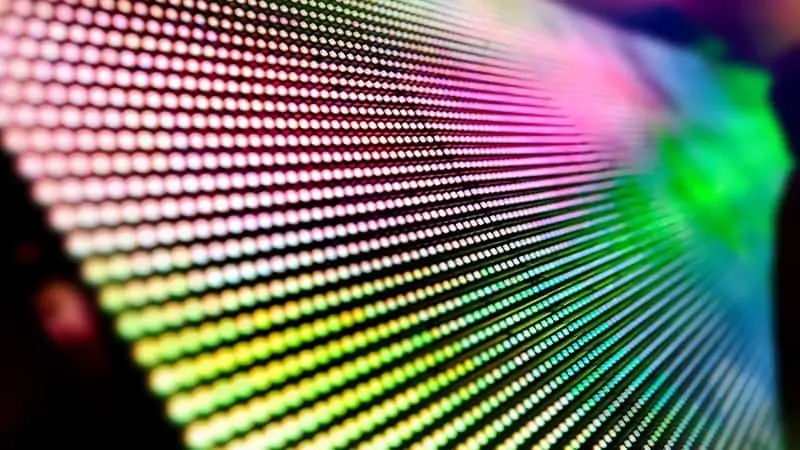
A: Moire patterns are primarily caused by the overlap of the grid structures of the LCD display and the camera's sensor.
A: Adjusting the camera angle, focal length, focus, and shutter speed can help reduce moire patterns.
A: While moire patterns can be significantly reduced, completely eliminating them can be challenging without compromising image quality.
A: Yes, image editing software like Photoshop can be used to reduce moire patterns.
A: Not all LCD displays produce noticeable moire patterns, but it is a common issue when capturing images of digital displays.


