

Views: 222 Author: Tina Publish Time: 2025-03-27 Origin: Site


Content Menu
● Introduction to ROG Ally and OLED Screens
● ROG Ally Display Specifications
● OLED vs. IPS LCD in Handheld Gaming Devices
>> Why ROG Ally Does Not Have an OLED Screen
● Benefits of OLED Screens in Gaming
● Comparison with Other Handheld Devices
● Future Developments: OLED in ROG Ally Series
● Gaming Performance and Battery Life
● User Experience and Ergonomics
● Market Impact and Competition
● Conclusion on Display Technology
● Detailed Analysis of OLED Technology
● Impact of Display Technology on Gaming Experience
● Future Trends in Handheld Gaming Displays
● Conclusion on Future Developments
● FAQ
>> 1. Does the ROG Ally support HDR?
>> 2. Can I connect the ROG Ally to an external display?
>> 3. What is the maximum refresh rate of the ROG Ally's screen?
>> 4. Does the ROG Ally have automatic brightness adjustment?
>> 5. Can I play AAA games on the ROG Ally?
The ROG Ally, a cutting-edge handheld gaming device from ASUS, has garnered significant attention for its impressive performance and display capabilities. However, one question that often arises is whether the ROG Ally features an OLED screen. In this article, we will delve into the specifics of the ROG Ally's display technology, compare it with OLED screens, and explore related topics such as the benefits and drawbacks of OLED technology in gaming devices.
The ROG Ally boasts a 7-inch IPS LCD touchscreen with a resolution of 1920x1080 and a maximum refresh rate of 120Hz. It supports variable refresh rates (VRR) with a 48-120Hz refresh window, enhancing gaming smoothness. While it does not have an OLED screen, its LCD display offers excellent color performance, good viewing angles, and decent brightness, making it suitable for outdoor use.
ROG Ally Display Features:
- Resolution: 1920x1080
- Refresh Rate: Up to 120Hz
- VRR Support: Yes, with FreeSync Premium
- Brightness: Up to 500 nits
- Color Space: Full sRGB coverage
OLED (Organic Light-Emitting Diode) screens are known for their deep blacks, vibrant colors, and wide viewing angles. However, they can be more power-intensive and prone to burn-in. IPS LCDs, on the other hand, offer good color accuracy and brightness but may not match OLEDs in terms of contrast and viewing angles.
The decision to use an IPS LCD in the ROG Ally was likely influenced by several factors, including power efficiency and cost. OLED screens, particularly those with VRR, are currently more expensive and less power-efficient, which could impact battery life—a critical aspect for handheld devices.
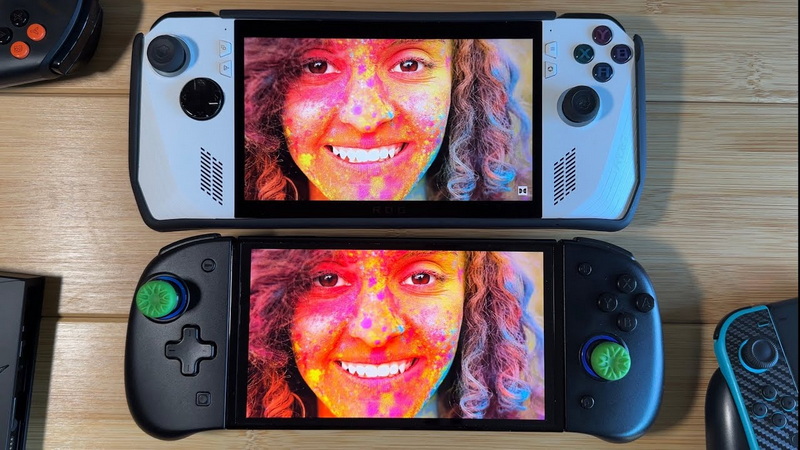
1. Deep Blacks and Contrast: OLED screens provide true blacks, enhancing the overall visual experience, especially in dark environments.
2. Wider Viewing Angles: OLEDs maintain color accuracy and contrast even when viewed from the side.
3. HDR Support: OLEDs can offer superior HDR performance due to their ability to produce true blacks.
However, OLEDs also have some drawbacks, such as potential burn-in issues and higher power consumption.
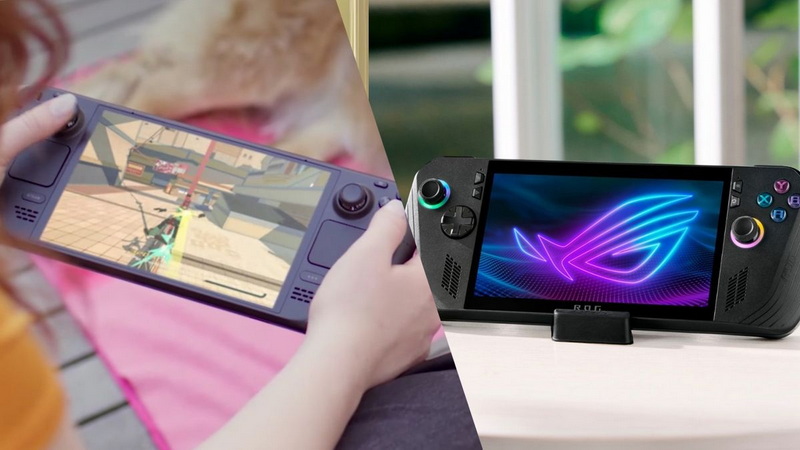
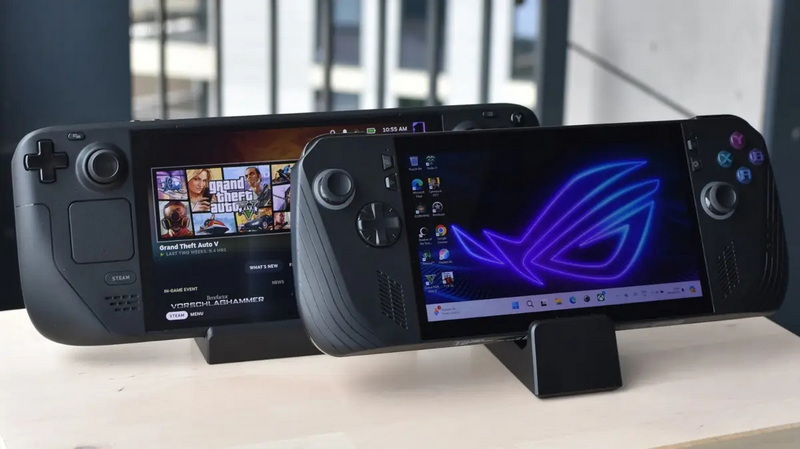
The Steam Deck, for example, features a 7.4-inch OLED screen with a resolution of 1280x800 and a 90Hz refresh rate. While it offers vibrant colors and deep blacks, it lacks VRR and has a lower resolution compared to the ROG Ally.
Steam Deck OLED vs. ROG Ally IPS LCD:
- Steam Deck: 7.4-inch OLED, 1280x800, 90Hz, HDR support
- ROG Ally: 7-inch IPS LCD, 1920x1080, 120Hz, VRR support
There are indications that future models of the ROG Ally might incorporate OLED technology, particularly if advancements in OLED efficiency and cost occur. The inclusion of OLED with VRR would significantly enhance the visual experience for gamers.
The ROG Ally is powered by an AMD Ryzen Z1 Extreme APU, providing robust performance for demanding games. Its battery life is around 3-6 hours depending on the game and settings, which is competitive in the handheld gaming market. The use of an IPS LCD helps maintain a balance between display quality and battery efficiency.
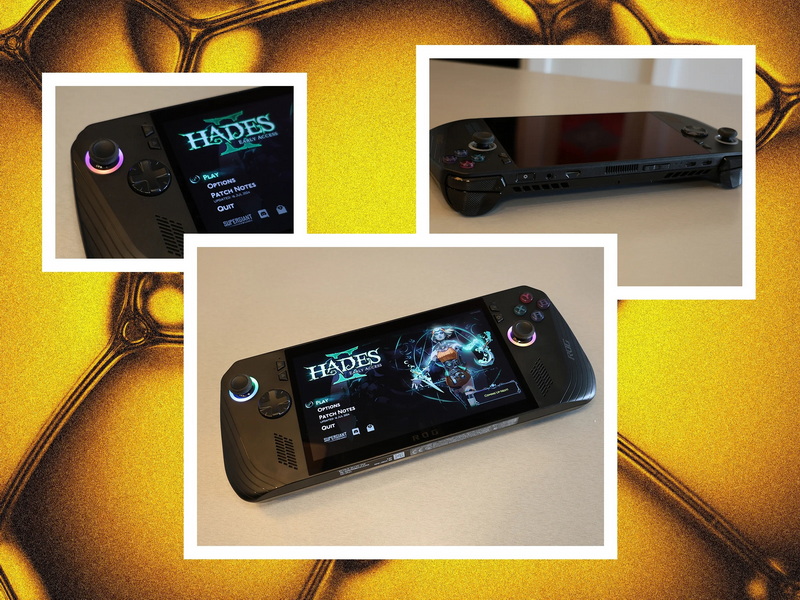
The ROG Ally is designed with ergonomics in mind, featuring a comfortable grip and well-placed controls. The device is lightweight and portable, making it ideal for extended gaming sessions on the go. The IPS LCD screen provides clear visuals even in bright environments, which is beneficial for outdoor gaming.
In the handheld gaming market, devices like the Steam Deck and Nintendo Switch offer different strengths. The Steam Deck focuses on PC gaming compatibility, while the Switch emphasizes portability and exclusive titles. The ROG Ally competes by offering high-performance gaming with a focus on PC compatibility and a robust display.
The choice of display technology in handheld gaming devices is crucial, as it affects both performance and user experience. While OLED screens offer superior visual quality, IPS LCDs provide a balance of cost, power efficiency, and display quality. The ROG Ally's IPS LCD is well-suited for its intended use, but future models may benefit from advancements in OLED technology.
OLED technology has evolved significantly over the years, offering improvements in efficiency and cost. However, challenges such as burn-in and limited lifespan remain. Manufacturers are working to address these issues, which could lead to more widespread adoption of OLED screens in gaming devices.
The display technology used in a gaming device can significantly impact the gaming experience. For instance, OLED screens can enhance immersion with their deep blacks and vibrant colors, while IPS LCDs provide a more cost-effective option with good color accuracy. The choice between OLED and IPS LCD often depends on the device's intended use and target audience.
As technology advances, we can expect to see improvements in both OLED and IPS LCD displays. Future handheld gaming devices might incorporate new display technologies like micro-LED or even foldable screens, further enhancing portability and visual quality.
The future of handheld gaming displays looks promising, with potential advancements in OLED efficiency and new technologies on the horizon. These developments could lead to more devices featuring OLED screens, offering gamers superior visual experiences without compromising on battery life or cost.
The ROG Ally is a powerful handheld gaming device with a robust IPS LCD display, offering excellent performance and features like VRR. While it does not have an OLED screen, its capabilities make it a strong contender in the handheld gaming market. As technology evolves, we may see OLED screens in future ROG Ally models, potentially offering even better visual experiences for gamers.
- No, the ROG Ally does not support HDR on its IPS LCD screen.
- Yes, you can connect the ROG Ally to an external display using a USB-C to DisplayPort/HDMI adapter.
- The ROG Ally's screen supports up to 120Hz refresh rate.
- No, the ROG Ally does not have automatic brightness adjustment; you must adjust it manually.
- Yes, the ROG Ally is capable of playing AAA games with its AMD Ryzen Z1 Extreme APU.


