Views: 222 Author: Tina Publish Time: 2025-02-06 Origin: Site
Content Menu
● Design and Physical Attributes
● Key Features and Specifications
● Video and Audio Capabilities
● FAQ
>> 1. What is the resolution of the Dell W1900?
>> 2. What input options are available on the Dell W1900?
>> 3. Does the Dell W1900 support Picture-in-Picture (PIP)?
>> 4. What is the typical brightness and contrast ratio of the Dell W1900?
>> 5. What is included in the Dell W1900 package?
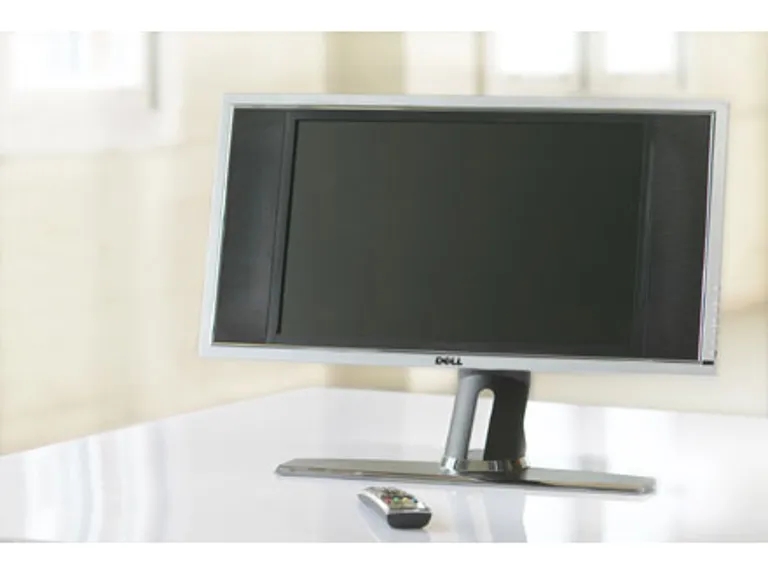
The Dell W1900 is a 19-inch LCD TV display that offers a range of features suitable for various viewing needs[1][2]. This display is designed to function both as a regular TV and a monitor, making it a versatile option for different environments such as smaller rooms, kitchens, offices, dens, or bedrooms[1][8].

The Dell W1900 features a widescreen display with a 16:9 aspect ratio, providing a resolution of 1280 x 768 pixels[2][5][8]. Its physical dimensions are approximately 16.5 inches (max) in height, 23.8 inches in width, and 6.6 inches in depth with the stand[2]. Without the stand, the height reduces to 12.2 inches[4]. The display weighs 21.4 lbs with the stand and 15.9 lbs without it[4].
- Display Type: TFT COLOR Normally Black PVA-Premium[2]
- Screen Size: 19-inch (19-inch viewable image size)[2]
- Viewable Area: 412.80 x 247.68 mm (16.25 x 9.75 inches)[2]
- Aspect Ratio: Wide screen 15:9 resolution 16:9 aspect ratio[2]
- Brightness: 450 nits (typical)[1][2][8]
- Contrast Ratio: 600:1 (typical)[1][2][8]
- Response Time: 16 ms, 9ms (typical)[2]
- Max Resolution: 1280x768 Pixels (WXGA) @ 60 Hz[4]
- Viewing Angle: 170° horizontal and 170° vertical[5]
The Dell W1900 offers extensive connectivity options, making it compatible with various devices[1]. It includes:
- PC Input: 15-pin D-sub, DVI-HDCP, PC Audio In[4]
- AV Input: Coax, Composite Video, 2 x Component Video, S-Video, 7 x RCA Audio (L+R), Headphone (1 jack)[4]
- Output: Composite Video, RCA Audio (L+R), Headphone (1 jack)[4]
- Connector Types: 15 pin HD D-Sub (HD-15), 24+1 pin digital DVI, 4 pin mini-DIN, RCA, RCA x 2, RCA x 3, mini-phone stereo 3.5 mm[5]
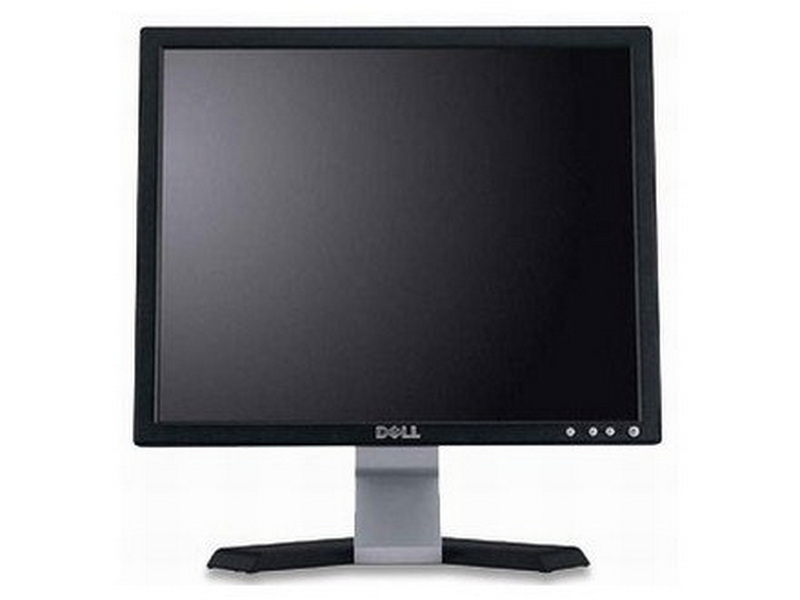
The Dell W1900 supports multiple video display capabilities, including 480i, 480p, 720p, 1080i, 576i, and 576p[2]. It features integrated 2-way stereo speakers (Tweeter and Mid Range) with an audio output of 2 x 7 Watts (Stereo), totaling 17 Watts[4]. The audio controls include bass, treble, equalizer, and sound mode adjustments[5].
- HDTV-ready: Supports 480i, 480p, 720p, and 1080i formats[4]
- Picture-In-Picture (PIP): Allows viewing multiple input sources simultaneously[1][4][5]
- Teletext: Supports teletext for additional information[2][5]
- Parental Control: Includes parental control features[2]
- Secondary Audio Program (SAP): SAP capable[2][5]
- Closed Caption Capability: Supports closed captions[5]
- Remote Control: Comes with a remote control for convenient operation[1][4]
The Dell W1900 generally performs well as a regular TV, delivering a clear and bright screen in various lighting conditions[1]. Its contrast ratio of 600:1 and brightness of 450 nits contribute to vivid images and rich color[1][8].
However, there are some performance considerations:
- Picture-in-Picture Limitations: The PIP feature has limitations on input sources, where composite and S-video connectors on the left side of the screen cannot run signals simultaneously[1].
- Remote Fiddliness: The remote control can be overly sensitive in some areas like volume control and laggy in menu functions[1].
The package typically includes:
- W1900 LCD TV display[2]
- Stand[1]
- Remote control[7]
- AAA batteries (2)[7]
- Cables: Power Cord, VGA (analog), DVI (digital), S-Video, Composite, PC Audio, RCA Audio[1][4][7]
- Documentation[7]
1. Attach the stand: Connect the stand to the TV display[7].
2. Connect devices: Use the appropriate connectors and cables to connect devices such as DVD players, VCRs, or cable TV boxes[7][9].
3. Plug in and turn on: Plug in the power cords for the TV display and connected devices, then turn them on[9].
4. Select input: Enter the On-Screen Display (OSD) menu and select the appropriate input source (e.g., VGA)[9].
The Dell W1900 19" LCD TV Display is a versatile device suitable for various viewing needs, functioning effectively as both a TV and a monitor. It offers a wide range of connectivity options, ensuring compatibility with different devices. While it has some limitations, such as PIP input restrictions and remote control sensitivity, its overall performance and features make it a solid choice for smaller spaces or as a secondary display.
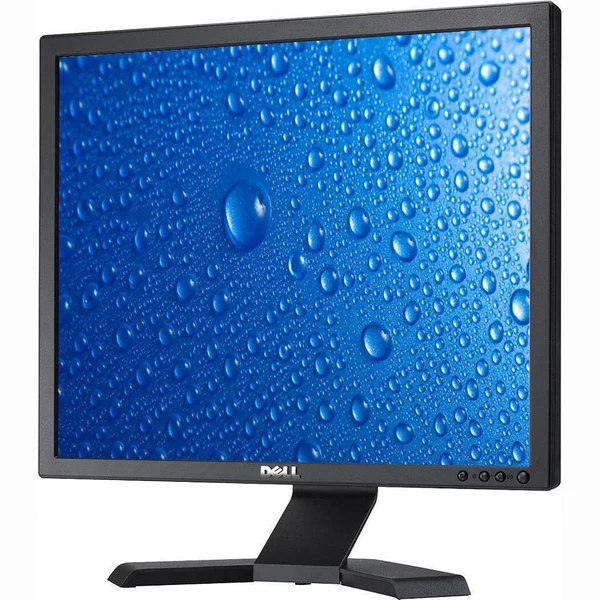
The Dell W1900 has a resolution of 1280 x 768 pixels, optimized for DVD and TV viewing[8].
The Dell W1900 includes PC Input (15-pin D-sub, DVI-HDCP, PC Audio In) and AV Input (Coax, Composite Video, 2 x Component Video, S-Video, 7 x RCA Audio (L+R), Headphone (1 jack))[4].
Yes, the Dell W1900 supports Picture-in-Picture (PIP), allowing you to view multiple input sources simultaneously[1][4][5]. However, there are limitations on which inputs can be used together[1].
The Dell W1900 has a typical brightness of 450 nits and a contrast ratio of 600:1[1][2][8].
The package includes the W1900 LCD TV display, stand, remote control, AAA batteries, and various cables such as power, VGA, DVI, S-Video, Composite, PC Audio, and RCA Audio cables[1][4][7].
[1] https://www.cnet.com/reviews/dell-w1900-review/
[2] https://refreshcomputers.net/product/dell-19-w1900-lcd-tv-display-and-monitor-vga-dvi-composite-rca/
[3] https://www.aibox365.cn/xslw/110.html
[4] https://forums.anandtech.com/threads/is-the-dell-w1900-19-inch-lcd-tv-good-enough-for-games.1611366/
[5] https://www.buffalocomputerparts.com/products/dell-w1900-19-lcd-tv
[6] https://llmbook-zh.github.io/LLMBook.pdf
[7] https://dl.dell.com/manuals/all-products/esuprt_electronics/esuprt_tv/dell-w1900_user's%20guide_zh-cn.pdf
[8] http://www.allsold.ca/dell-w1900-19-lcd-tv-monitor-10992
[9] https://dl.dell.com/manuals/all-products/esuprt_electronics/esuprt_tv/dell-w1900_owner's%20manual_en-us.pdf
This comprehensive article answers the question "Can I Upgrade My E-Bike LCD Display Easily?" by exploring display types, compatibility, practical upgrade steps, troubleshooting, and maintenance tips. Boost your riding experience and get the most from your LCD display e-bike with the best current advice, illustrations, and video guidance.
This comprehensive guide explores the troubleshooting and repair of backpack LCD display issues, covering blank screens, flickers, garbled text, address conflicts, and more. It offers stepwise solutions and practical videos to help users swiftly restore functionality in their hardware projects.
Discover why the Sharp memory LCD display outperforms traditional LCDs with lower power use, unmatched sunlight readability, robust reliability, and a straightforward interface. Learn about its technology, applications, pros and cons, integration tips, and get answers to common engineering questions.
OLED displays, though admired for their visuals, may cause digital eye strain or "OLED screen eye tire" during extended use because of blue light, potential PWM flicker, and intense color/contrast. By using optimal settings and healthy habits, users can safely enjoy OLED with minimal discomfort.
Does displaying a white screen on an LG OLED TV fix persistent burn-in? The answer is no: true burn-in results from irreversible pixel wear and chemical aging. The best practice is to use preventive features, moderate settings, and varied content to safeguard screen health. For severe cases, panel replacement is the only cure.
An in-depth guide to the LCD display bezel: its definition, history, materials, structure, and growing role in display design. Explores bezel importance, types, aesthetic trends, maintenance, and innovation, offering expert insights—including an expanded FAQ and practical visuals—to help users understand its unique place in technology.
This article provides a complete, practical guide to diagnosing and fixing non-responsive SPI LCD displays using methods including hardware validation, logic level correction, library configuration, and advanced diagnostic tools. Perfect for hobbyists and engineers alike.
LCD display liquid coolers deliver top-tier performance with visually stunning customizable LCD panels that display system data and artwork. They suit enthusiasts and streamers aiming for unique builds but may be unnecessary for budget or basic systems. The price premium is justified by advanced hardware, software, and customization features.
Black bars on an OLED screen do not cause burn-in as those pixels are switched off. Only with excessive, repetitive content does minor uneven aging become possible. Varying viewing habits and enabling panel maintenance prevents problems in daily use.
OLED TVs provide spectacular picture quality but rely heavily on the quality of the video input. Most cable broadcasts are limited to lower resolutions and compressed formats, so an OLED screen connected to a regular cable box will look better than older TVs but may not realize its full potential. Upgrading cable boxes and utilizing streaming services can unlock the best OLED experience.
OLED screen burn-in remains one of the key challenges inherent in this display technology. While no universal fix exists for permanent burn-in, a blend of app-based tools, manufacturer features, and maintenance practices can help reduce appearance and delay onset. Proper prevention strategies and use of built-in pixel shift and refresher tools offer the best chances of avoiding this issue.
This article comprehensively explores will OLED screen burn in over time by explaining the science of OLED displays, causes and types of burn in, manufacturer solutions, prevention tips, and real-world user experiences. Burn in risk does exist, but modern panels and user habits greatly reduce its likelihood, making OLED an excellent and long-lasting display choice.
This article provides an in-depth guide to selecting the best LCD display driver IC for various applications, covering driver types, key features, leading manufacturers, integration tips, and practical examples. It includes diagrams and videos to help engineers and hobbyists make informed decisions about LCD display driver selection.
Dead pixels are a common type of LCD display defect, caused by manufacturing faults, physical damage, or environmental factors. While stuck pixels may be fixable, dead pixels are usually permanent. Proper care and understanding can help prevent and address these issues.
This comprehensive guide explains every symbol and function found on e-bike LCD displays, using clear explanations and practical tips. Learn to interpret battery, speed, PAS, error codes, and customize settings using your e-bike LCD display manual for a safer, smarter ride.
This comprehensive guide explains how to set an LCD display clock, covering everything from hardware setup and wiring to coding, troubleshooting, and creative customization. With detailed instructions and practical tips, you'll learn to confidently build and personalize your own LCD display clock for any setting.
This article explores whether OLED laptop screens are prone to burn-in, examining the science, real-world evidence, prevention methods, and lifespan. It provides practical advice and answers common questions to help users make informed decisions about OLED technology.
Displaying a black screen on an OLED TV will not cause burn-in, as the pixels are turned off and not subject to wear. Burn-in is caused by static, bright images over time. With proper care and built-in features, OLED TVs are reliable and offer exceptional picture quality.
This article explores the causes of OLED screen burn-in, the science behind it, and effective prevention strategies. It covers signs, effects, and potential fixes, with practical tips to prolong your OLED display's lifespan and answers to common questions about burn-in.
OLED screens deliver unmatched image quality, with perfect blacks, vivid colors, and ultra-fast response times. Despite higher costs and some risk of burn-in, their advantages make them the top choice for premium displays in TVs, smartphones, and monitors.