

Views: 222 Author: Tina Publish Time: 2025-03-07 Origin: Site


Content Menu
● Does the M2 MacBook Have an OLED Screen?
● Potential Challenges of OLED
>> Burn-in
>> Cost
● Frequently Asked Questions (FAQs)
>> 1. What is OLED technology?
>> 2. Does the M2 MacBook Air have an OLED screen?
>> 3. Will future MacBooks feature OLED displays?
>> 4. What are the benefits of OLED displays?
>> 5. What are the potential challenges of OLED displays?
The M2 MacBook, particularly the MacBook Air and MacBook Pro models, have been popular choices among consumers due to their sleek designs and powerful performance. However, one question that often arises is whether these models feature OLED screens. In this article, we will delve into the world of OLED technology, explore its benefits, and discuss whether the M2 MacBook series includes OLED displays. We will also look ahead to the potential integration of OLED technology into future MacBook models.
OLED (Organic Light-Emitting Diode) technology offers several advantages over traditional LCD screens. These include:
- Higher Contrast Ratio: OLEDs can produce true blacks, as each pixel emits its own light, leading to a higher contrast ratio and more vivid colors. This is because, unlike LCDs that rely on a backlight to illuminate the entire screen, OLED pixels can be individually turned off.
- Improved Power Efficiency: OLEDs consume less power, especially when displaying black or dark content, which can lead to longer battery life. In contrast, LCDs often waste energy by blocking light in dark areas rather than turning off the light source completely.
- Wider Viewing Angles: OLED displays maintain their color accuracy and brightness even when viewed from the side. This is a significant improvement over LCDs, where color and brightness can shift noticeably when viewed at an angle.
- Faster Response Time: OLEDs have faster response times compared to LCDs, making them ideal for fast-paced content like video games and action movies. This reduces motion blur and ghosting, providing a clearer and more immersive viewing experience.
Despite these benefits, OLED technology is not yet widely adopted in laptops due to cost and manufacturing challenges. OLED panels are more expensive to produce than LCDs, and ensuring consistent quality across large displays can be difficult.

The M2 MacBook series, launched in 2022, includes the MacBook Air and MacBook Pro models. Both are equipped with the Apple M2 chip, offering enhanced performance and efficiency. The M2 chip is based on a 5nm process, providing a significant boost in processing power and graphics performance while maintaining excellent energy efficiency.
The MacBook Air features a 13.6-inch LED-backlit display with IPS technology, offering a resolution of 2560x1664 pixels and a brightness of up to 500 nits. It supports a wide color gamut (P3) and True Tone technology for better color accuracy and ambient light adaptation. The redesign of the MacBook Air also includes a thinner profile and a notch at the top of the display, similar to the iPhone.
Display Specifications:
- Type: LED-backlit with IPS technology
- Resolution: 2560x1664 pixels
- Brightness: Up to 500 nits
- Color Support: Wide color (P3)
The IPS technology in the MacBook Air's display ensures wide viewing angles and accurate color reproduction. The P3 wide color gamut allows for a broader range of colors to be displayed, making images and videos appear more vibrant and realistic. True Tone technology automatically adjusts the color temperature of the display to match the ambient lighting conditions, reducing eye strain and improving the overall viewing experience.
The MacBook Pro models, including the 13.3-inch version, also use LCD technology. The 13.3-inch model features a resolution of 2560x1600 pixels and a maximum brightness of 500 nits. While it doesn't have the same redesign as the M2 MacBook Air, it retains the classic MacBook Pro look and feel.
Display Specifications:
- Type: IPS LCD
- Resolution: 2560x1600 pixels
- Brightness: Up to 500 nits
- Color Support: DCI-P3 color gamut
The MacBook Pro's display is calibrated to meet the needs of professional users, offering accurate color reproduction and high brightness. The DCI-P3 color gamut ensures that the display can accurately reproduce the colors used in film and television production. This makes the MacBook Pro a suitable choice for content creators and professionals who require precise color accuracy.
Currently, neither the MacBook Air nor the MacBook Pro models in the M2 series feature OLED screens. They use LCD technology with IPS panels for their displays. The decision to stick with LCD technology in the M2 MacBook series is likely due to cost considerations and the maturity of LCD technology.
However, there are rumors and plans for future MacBook models to adopt OLED technology. Apple is reportedly working on integrating OLED displays into its products, with potential launches as early as 2026 for the MacBook Pro. This timeline suggests that Apple is working to overcome the manufacturing and cost challenges associated with OLED displays.
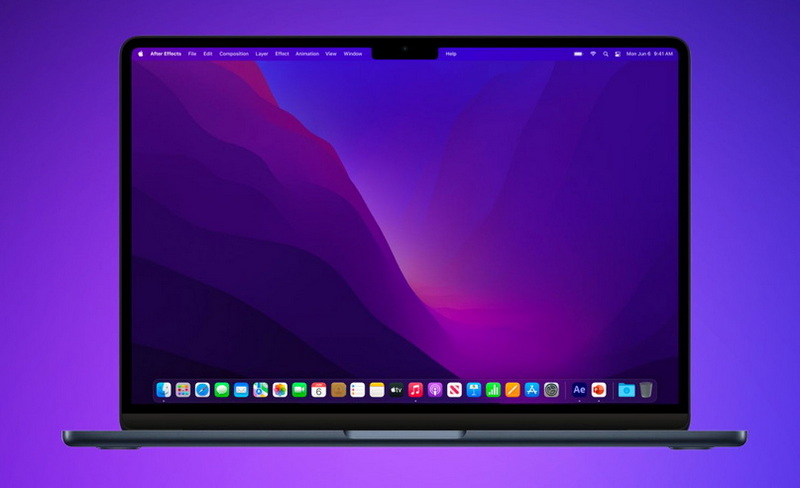
Before the potential shift to OLED, Apple introduced Mini-LED displays in some of its high-end products, such as the 14-inch and 16-inch MacBook Pro models. Mini-LED technology uses thousands of tiny LEDs to provide more precise backlighting control, resulting in improved contrast and brightness compared to traditional LCDs. While Mini-LED is a step up from LCD, it still doesn't offer the same level of contrast and power efficiency as OLED.
- Higher Brightness: Mini-LED displays can achieve higher brightness levels than traditional LCDs, making them suitable for HDR content.
- Improved Contrast Ratio: The precise backlighting control of Mini-LED technology results in a higher contrast ratio and more vibrant colors.
- Local Dimming Zones: Mini-LED displays use local dimming zones, which allow for individual areas of the screen to be dimmed or brightened independently, further improving contrast.
The transition to OLED displays in MacBooks is anticipated to bring significant improvements in display quality and power efficiency. This change could also enable thinner designs, as OLED panels are generally thinner than LCDs. The adoption of OLED technology would align with Apple's commitment to providing the best possible user experience.
- Enhanced Visual Experience: OLED displays offer deeper blacks, brighter whites, and more vibrant colors, resulting in a more immersive viewing experience.
- Increased Battery Life: OLEDs consume less power, which could lead to longer battery life for MacBooks.
- Thinner and Lighter Designs: OLED panels are thinner than LCDs, allowing for thinner and lighter MacBook designs.
While OLED technology offers numerous benefits, there are also some potential challenges to consider.
OLED displays are susceptible to burn-in, which occurs when static images are displayed on the screen for extended periods of time, causing permanent discoloration. However, modern OLED displays have implemented various technologies to mitigate burn-in, such as pixel shifting and screen savers.
OLED panels are more expensive to produce than LCDs, which could result in higher prices for MacBooks with OLED displays. However, as OLED technology matures, the cost is expected to decrease over time.
While OLED displays offer vibrant colors, they can sometimes exhibit less accurate color reproduction compared to LCDs. However, Apple is known for its precise color calibration, so it is likely that they will address this issue in future OLED MacBooks.
In conclusion, the M2 MacBook series does not currently include OLED screens. However, with advancements in technology and Apple's plans to integrate OLED displays into future models, we can expect significant improvements in display quality and efficiency in the coming years. The transition to OLED represents a significant step forward in display technology and will likely enhance the overall user experience for MacBook users. While there are some potential challenges associated with OLED, such as burn-in and cost, Apple is likely to address these issues in future products. The future of MacBook displays looks bright, with OLED technology poised to deliver a new level of visual excellence.

OLED technology uses organic compounds to produce light, offering better contrast, power efficiency, and viewing angles compared to LCDs. Each pixel emits its own light, allowing for true blacks and vibrant colors.
No, the M2 MacBook Air uses an LED-backlit display with IPS technology. It provides excellent color accuracy and wide viewing angles, but it doesn't offer the same level of contrast as OLED.
Yes, Apple plans to introduce OLED displays in future MacBook models, potentially starting with the MacBook Pro in 2026. This will bring significant improvements in display quality and power efficiency.
Benefits include higher contrast ratios, improved power efficiency, wider viewing angles, and faster response times. OLED displays also offer deeper blacks and more vibrant colors.
Potential challenges include burn-in, higher cost, and potential color accuracy issues. However, manufacturers are implementing technologies to mitigate burn-in, and costs are expected to decrease over time.


