

Views: 222 Author: Tina Publish Time: 2025-05-18 Origin: Site


Content Menu
● The Evolution of OLED TV Design
● Screen Construction: Glass vs. Plastic
>> Why Does Screen Material Matter?
>> Common Materials in OLED TVs
● LG OLED B7 Screen Material: The Facts
>> Is the LG OLED B7 Screen Made of Glass?
>> Does the B7 Have a Glossy Surface?
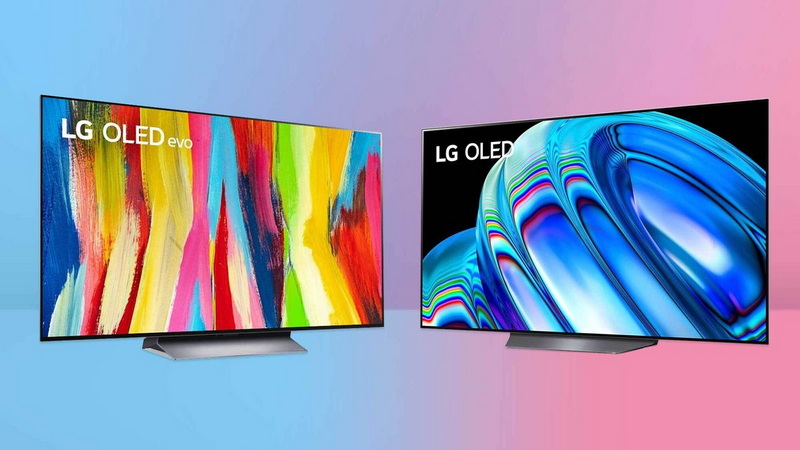
● Comparison: B7 vs. Other LG OLED Models
>> How Durable Is the B7's Screen?
>>> Cleaning Tips
● Viewing Experience: Reflection and Gloss
>> How Does the Glossy Surface Affect Viewing?
>> Tips for Reducing Reflections
● User Experiences and Common Issues
>> Common Maintenance Practices
● Design and Aesthetics: How the B7 Fits Into Modern Living Spaces
● The Impact of Screen Material on Sound Quality
● Tips for Maximizing Your LG OLED B7 Experience
>> 1. Does the LG OLED B7 have a glass screen?
>> 2. How does the B7's screen compare to the E7 or G7?
>> 3. Is the B7's screen prone to reflections?
>> 4. What should I use to clean the B7's screen?
>> 5. Can the B7's screen warp or bend?
The LG OLED B7 series, released in 2017, is renowned for its stunning picture quality, deep blacks, and sleek design. As OLED technology continues to evolve, many consumers are curious about the physical construction of these TVs-specifically, whether the LG OLED B7 features a glass screen. This article explores the build of the B7, compares it to other LG OLED models, and discusses the implications of its screen material for durability, viewing experience, and aesthetics.
Throughout this comprehensive guide, you'll find detailed explanations, comparison tables, and practical insights to help you fully understand the LG OLED B7's screen composition and what it means for users.
The LG OLED B7 is part of LG's 2017 lineup of OLED TVs, available in 55-inch and 65-inch models. It offers:
- 4K Ultra HD resolution (3840 x 2160)
- HDR support (Dolby Vision, HDR10, HLG, Technicolor)
- webOS smart platform for intuitive navigation and streaming
- Dolby Atmos audio for immersive sound
- Thin, modern design that complements contemporary interiors
The B7 is often praised for its value, delivering premium OLED picture quality at a more accessible price point compared to LG's higher-end E7 and G7 models.
OLED technology has revolutionized the television industry, offering self-emissive pixels that can be individually turned on or off. This results in perfect blacks, infinite contrast ratios, and vibrant colors. Over the years, LG has refined its OLED lineup, introducing various design philosophies to cater to different market segments.
Earlier OLED models featured bulkier frames and thicker bezels, but as manufacturing techniques improved, LG began to experiment with ultra-thin panels and innovative materials. The “picture-on-glass” design, introduced in higher-end models, became a hallmark of luxury, while more affordable models like the B7 focused on delivering core OLED benefits without the added cost of premium materials.
The material used for a TV's screen affects several key aspects:
- Durability: Resistance to scratches, warping, and breakage is crucial for long-term use.
- Aesthetics: The choice of material influences gloss, reflection, and perceived quality.
- Weight: Heavier materials may impact wall-mounting and handling, while lighter materials are easier to install.
- Picture Quality: Surface reflections and color accuracy can be affected by the outer layer.
- Glass: Provides a premium feel, rigidity, and a glossy finish. Used in high-end models, glass offers a sense of luxury and structural stability.
- Plastic: Lightweight, cost-effective, and less prone to shattering, but may feel less premium. Plastic allows for thinner designs and easier handling.
The debate between glass and plastic is not just about looks; it's about balancing cost, performance, and user experience.
The LG OLED B7 does not use the “picture-on-glass” design found in LG's premium E7 and G7 models. Instead, the B7's construction is primarily plastic, with a glossy OLED panel surface that gives the appearance of glass but lacks the full glass backing of higher-tier models. The panel itself is extremely thin, and while the OLED substrate sits behind a glossy protective layer, the outermost material is not a thick glass sheet as seen in the E7 or G7.
- The B7 is described as having a slim aluminum frame and a thin, glossy OLED panel, but not the “glass plate look” of the E7 and G7.
- Reviews consistently note that the B7 lacks the “elegant glass design” of more expensive LG OLEDs, emphasizing its mostly plastic build.
- The back of the TV is made of white plastic, with the stand constructed from clear and black plastic.
Yes, the B7 features a glossy, reflective screen surface, similar to other OLED panels. This is due to the nature of OLED technology, which requires a smooth, clear layer above the organic light-emitting diodes for optimal picture quality. However, this should not be confused with a full glass panel.
| Model | Screen Material | Design Style | Premium Features |
|---|---|---|---|
| B7 | Plastic (glossy OLED surface, not full glass) | Slim, aluminum frame | Standard OLED panel |
| C7 | Similar to B7 (plastic, glossy surface) | Slim, aluminum frame | Standard OLED panel |
| E7 | Picture-on-glass (full glass backing) | Glass plate design | Enhanced audio, premium finish |
| G7 | Picture-on-glass (full glass backing) | Gallery design | Premium features, advanced audio |
Key Takeaway:
The B7 and C7 are designed to be more affordable, using plastic and a glossy OLED surface, while the E7 and G7 feature a true glass backing for a more luxurious look and feel.
- Scratch Resistance: The glossy surface is susceptible to scratches if not handled carefully. Avoid using abrasive cleaners or rough cloths.
- Warping: Some users have reported slight warping or dips in the panel, which is more noticeable when the TV is off. This is due to the ultra-thin construction and is not unique to the B7.
- Shatter Resistance: The absence of a full glass backing means the B7 is less likely to shatter compared to glass-backed models, but the OLED panel itself is still delicate.
- Use a microfiber cloth and gentle screen cleaner.
- Avoid pressing hard on the screen.
- Do not use paper towels or household cleaners, as they may damage the surface.
While the plastic construction offers some flexibility and impact resistance, it's important to note that OLED panels are inherently delicate. Over time, all OLEDs can experience issues like image retention or burn-in, especially if static images are displayed for prolonged periods. LG includes pixel refresh and screen shift features to help mitigate these risks.
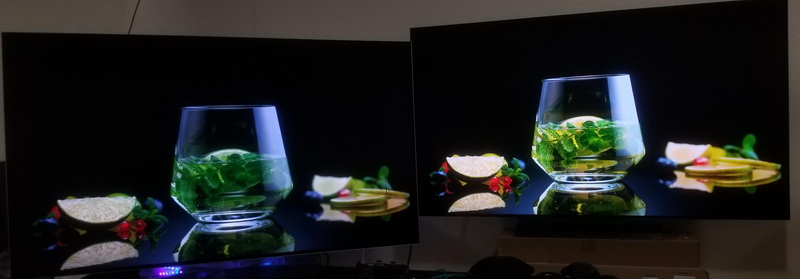
- Reflections: The B7's glossy screen can reflect bright objects in the room, such as windows or lamps. This is typical for OLED TVs and is managed by an anti-reflective coating, but placement in a room with controlled lighting is ideal.
- Picture Quality: Despite reflections, the OLED panel delivers exceptional contrast, deep blacks, and vibrant colors, even in well-lit rooms. The glossy finish enhances perceived sharpness and color vibrancy, contributing to the B7's acclaimed picture quality.
- Place the TV away from direct light sources.
- Use curtains or blinds to control sunlight.
- Adjust the viewing angle to minimize glare.
- Warping: Some users notice a slight dip or warp in the center of the screen, attributed to the thinness of the panel and lack of a rigid glass backing. This is a cosmetic issue and typically does not affect performance.
- Burn-In: Like all OLEDs, the B7 can suffer from image retention or burn-in if static images are displayed for long periods. LG includes features to mitigate this risk, such as pixel refresh and screen shift.
- Durability: After several years of use, some users report color degradation or uniformity issues, which is typical for older OLED panels. Regular use of built-in maintenance features can help prolong the panel's lifespan.
- Run the TV's pixel refresher periodically.
- Avoid displaying static images for long periods.
- Lower brightness settings for everyday use.
The LG OLED B7's slim profile and minimalist design make it an attractive addition to any living room. Its thin bezels and lightweight construction allow for easy wall mounting, and the understated aluminum frame complements a wide range of interior styles. Unlike the E7 and G7, which make a bold statement with their glass backs, the B7's design is subtle yet sophisticated, blending seamlessly with modern décor.
The TV's stand is functional and stable, though its plastic construction is less premium than the glass and metal stands found on higher-end models. For users who prioritize aesthetics but are mindful of budget, the B7 offers an excellent compromise.
While screen material primarily affects durability and appearance, it can also influence sound quality. Models with picture-on-glass designs, like the E7 and G7, often incorporate advanced sound systems that utilize the glass panel to enhance audio resonance. The B7, with its plastic and aluminum construction, relies on traditional downward-firing speakers.
Despite this, the B7 supports Dolby Atmos, delivering immersive sound when paired with compatible audio equipment. For audiophiles seeking the best possible audio experience, adding a dedicated soundbar or home theater system is recommended.
To get the most out of your LG OLED B7, consider the following tips:
- Optimal Placement: Position the TV in a room with controlled lighting to minimize reflections and glare.
- Calibration: Use professional calibration settings or trusted online guides to fine-tune picture quality for your environment.
- Firmware Updates: Regularly check for software updates to ensure the TV's features and performance remain up to date.
- External Audio: Pair the B7 with a quality soundbar or speaker system to enhance the viewing experience.
- Panel Care: Use the TV's built-in maintenance features and avoid displaying static content for extended periods.
The LG OLED B7 does not have a full glass screen. Instead, it features a glossy OLED surface with a plastic and aluminum frame, designed to offer high-end picture quality at a more accessible price. While it lacks the “picture-on-glass” luxury of the E7 and G7, the B7 remains a strong contender for those seeking OLED performance without the premium price tag.
The screen's glossy finish delivers vibrant images but can reflect ambient light. Durability is generally good, though care must be taken to avoid scratches and warping. For most users, the B7's construction strikes a balance between cost, performance, and aesthetics. Its elegant, minimalist design fits seamlessly into modern living spaces, and with proper care, it can provide years of outstanding visual entertainment.

No, the LG OLED B7 uses a glossy OLED panel with a plastic and aluminum frame. It lacks the full glass backing seen in higher-end LG OLED models like the E7 and G7.
The E7 and G7 feature a “picture-on-glass” design, with the OLED panel mounted directly on a sheet of glass for a more premium look and feel. The B7 uses a plastic and aluminum construction, making it more affordable but less luxurious.
Yes, the B7 has a glossy, reflective surface typical of OLED TVs. While it includes an anti-reflective coating, bright lights and windows may be visible on the screen in some viewing conditions.
Use a soft microfiber cloth and a gentle screen cleaner designed for electronics. Avoid abrasive materials and do not press hard on the screen to prevent damage.
Some users have reported slight warping or dips in the panel, especially on larger models. This is due to the ultra-thin construction and lack of a rigid glass backing, but it typically does not affect performance.


